
A quick search online today revealed some interesting programs for drawing and painting online. As if there were not enough distractions at work already.
If you have any experience with those tools post a comment on which ones you find best for your workflow, or explain how you find these tools enhance your workflow or creativity.
Monday, September 28, 2009

Wednesday, September 9, 2009
Snow Leopard
Well after some growing pains installing Snow Leopard, Mac OS X 10.6, everything is running as normal. I encountered an issue with my HP LaserJet 1020 not working, as a result of the update. This has been a consistent problem when using an HP printer with my Mac's. The solution was quite simple if you know where to look, OpenPrinting for OSX - HP using Foomatic. One of the main selling points of the OS update was improved printer support, but this one area seems to be problematic, I realize that apple uses the GNU Cups development initiative for its printing however, for some the PDD (postscript printer description) files are just as equally important. However they are not integrated into the OS or at times difficult to find. Regardless the issue is now resolved and the solutions are now posted.
I also find it interesting how much of your computer system you can setup from just within your web browser now. For instance CUPS printing can be setup using http://localhost:631/, which is just one example. Firefox has about:config although it attempts to scare you into not using it. A better description of about:config hacks can be found here Eriwen.com.
My Apple Support Forums Post - dioioib with the solution to HP LaserJet 1020 printing issues in Snow Leopard.
I also find it interesting how much of your computer system you can setup from just within your web browser now. For instance CUPS printing can be setup using http://localhost:631/, which is just one example. Firefox has about:config although it attempts to scare you into not using it. A better description of about:config hacks can be found here Eriwen.com.
My Apple Support Forums Post - dioioib with the solution to HP LaserJet 1020 printing issues in Snow Leopard.
Wednesday, July 22, 2009
Max/MSP synth building
It has been quite some time since I have posted anything related to Max/MSP, Puredata or PWGL. In many respects for synthesis building I find PWGL much easier to work with, this might be a result of errors I encountered in some of the tutorials for Max/MSP. Some of the tutorials[1] for Max/MSP have errors partly due to the version they were developed for. The main issue I was experiencing surrounds the use of the umenu with the filtergraph~ and biquad~ objects. The problem with the tutorial example is the point at which the umenu item is connected to the filtergraph~ element. This connection should not happen at the right most outlet but rather should connect to the center outlet. This outlet is labeled as "Menu Item Text Evaluated as a Message" which should be connected to the leftmost inlet "a0 coefficient."


This organization of objects changes the filtergraph~ objects filter curve depending on the option selected in the umenu object. Perhaps due to changes and additions in Max/MSP there are a few missing filter types in the example on the Cycling '74 site. However, here is a complete list of filters: display, lowpass, highpass, bandpass, bandstop, peaknotch, lowshelf, highshelf, resonant, allpass. It is beyond the scope of this post to explain what each one of these filter types do. If you are interested in learning more about these filters I would recommend the book "The Computer Music Tutorial." The new filter types include resonant which is similar to bandpass but to use a definition from physics, "resonance is the tendency of a system to oscillate at larger amplitude at some frequencies than at others." And although not technically a filter allpass, functions as a bypass for the filter.
[1] Max/MSP Synth Building with Max/MSP #3


This organization of objects changes the filtergraph~ objects filter curve depending on the option selected in the umenu object. Perhaps due to changes and additions in Max/MSP there are a few missing filter types in the example on the Cycling '74 site. However, here is a complete list of filters: display, lowpass, highpass, bandpass, bandstop, peaknotch, lowshelf, highshelf, resonant, allpass. It is beyond the scope of this post to explain what each one of these filter types do. If you are interested in learning more about these filters I would recommend the book "The Computer Music Tutorial." The new filter types include resonant which is similar to bandpass but to use a definition from physics, "resonance is the tendency of a system to oscillate at larger amplitude at some frequencies than at others." And although not technically a filter allpass, functions as a bypass for the filter.
[1] Max/MSP Synth Building with Max/MSP #3
Wednesday, July 15, 2009
DX7 Ram Cartridge
I have been testing the first prototype for the DX7 ram cartridge over the last few weeks. It looks promising, but there are still a few bugs to work out before I can get this boards produced. Much time has passed since the beginning of this project, however, taking time to get it correct is my primary concern.
Here is the latest image of the cart design:

Here is the latest image of the cart design:

Monday, June 22, 2009
Noise Maker Time
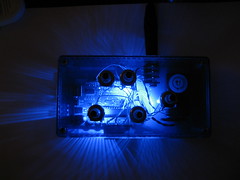
I will be teaching a small introduction to AVR / Arduino class at the Niagara Artist Company this summer during the first week of August (rescheduled from the 4th of July weekend).
I have decided to use this as the foundation to the lecture:
Tinker.It Arduino Synth
This device is fun to say the least. Although I found you need an op-amp to really make it shine. I have a surface mount board available for anyone who is interested, just send me an email and I can send you one for $2 + postage. The board uses SMT / SMD parts (surface mount) but it really makes the tinkerit board scream like it should using an OP275GSZ op-amp from Analog Devices. This device gives a clean amplification at 5v with no additional parts, talk about easy to use.
I think the thing most enjoyable about this project is the hack-ability. You can edit the code to make different sound grains, you can add distortion and other effects, as I am doing, look here for some easy single sided board projects TonePad FX.
Kicad
Its been some time since my last post however, I have been fairly busy.
A few months ago I came across a blog in which nightly builds of Kicad are available for OSX. The release is finally at a point where almost every aspect of Kicad works on OSX and although there are still bugs, I personally feel it is at a level where it is usable. I do still get the odd crash now and again but the stability is quite good for the most part.
Visit the following link:
Broken Toaster Blog
the current build as of today is R1835, Nick has put a lot of work into these builds and we should recognize and thank him for his hard work.
Thanks Nick.
A few months ago I came across a blog in which nightly builds of Kicad are available for OSX. The release is finally at a point where almost every aspect of Kicad works on OSX and although there are still bugs, I personally feel it is at a level where it is usable. I do still get the odd crash now and again but the stability is quite good for the most part.
Visit the following link:
Broken Toaster Blog
the current build as of today is R1835, Nick has put a lot of work into these builds and we should recognize and thank him for his hard work.
Thanks Nick.
Tuesday, August 5, 2008
Return to the Bronome
So I recently found a fellow artist working in France who is also working on an RGB Monome like project. He calls it the Trinome and his webpage is here. LiveInterface There you will find a complete resource for the code and a schematic. However I am currently working on a backpack to control the leds. I will be creating complete PCB's for this project once it is completed. I am unsure as to the direction Julien is taking with his project, however, I wish to push this device to its limits and even integrate even more functionality as a controller. I have always intended on this device being a stand alone controller. But Julien's use of the Monome Protocol (OSC) though USB is also interesting.
Bronome Schematic - Julien's schematic with a partially finished backpack and arduino.
Bronome Schematic - Julien's schematic with a partially finished backpack and arduino.
Sunday, July 20, 2008
LCE Rotary Encoder LED graphs 360 degrees


360 LED Graph

LED Graph 360 by
Brian Durocher is licensed under a
Creative Commons Attribution-Noncommercial 2.5 Canada License.
Tuesday, July 8, 2008
Ram Cart Pins


Ram Cartridge by Brian Durocher is licensed under a Creative Commons Attribution-Noncommercial-No Derivative Works 2.5 Canada License.
Permissions beyond the scope of this license may be available at brian.durocher@gmail.com.
This project is currently closed development. If you would like to become part of the development team or make derived works e-mail me. Permissions will be given to individuals interested in producing cartridges for their own personal use. Permission will not be given or implied for any commercial use as per the Creative Commons attribution.
Kits will become available upon creation of a working prototype. Currently development is in its infancy. Please be patient as I still need to find suitable parts to replace the discontinued PROM's, and other required components such as a case.
If you are interested in following the discussion about the ram cartridge please visit Yamaha Forums UK
Friday, July 4, 2008
DX7 RAM Cart Teardown
Teardown of a DX7 RAM cart.
2x X2816AP (2k * 8 PROM)
1x 2.2 16 Cap Polar
2x 16pin SIP (Marked RML S12472J
1x Slide Switch


2x X2816AP (2k * 8 PROM)
1x 2.2 16 Cap Polar
2x 16pin SIP (Marked RML S12472J
1x Slide Switch


Wednesday, June 25, 2008
CSound
I have decided to start experimenting with a program called CSound. The programming code has a structure similar to Cobol programing syntax. This should be interesting. Below are some links to get you started as well.
CSound is a powerful synthesis language which can be used to make your own virtual instruments, oscillators, etc. The sonic potential of this program is only limited by your imagination.
Critical Files for using CSound and Cecilia:
http://tcltkaqua.sourceforge.net/
http://csound.sourceforge.net/
OS X Front End:
http://csounds.com/cecilia/
Resources:
http://www.csounds.com/chapter1/index.html
Windows Front End:
http://myweb.nmu.edu/~benjohns
Related Software:
PureData:
Intel
Pd-0.40.3-extended-rc2 Intel
PPC
Pd-0.40.3-extended-rc2 PPC
Windows
Pd-0.40.3-extended-rc2-windowsxp
Patches
http://mmonoplayer.com/mspexternals.php
Chuck:
http://chuck.cs.princeton.edu/
CSound is a powerful synthesis language which can be used to make your own virtual instruments, oscillators, etc. The sonic potential of this program is only limited by your imagination.
Critical Files for using CSound and Cecilia:
http://tcltkaqua.sourceforge.net/
http://csound.sourceforge.net/
OS X Front End:
http://csounds.com/cecilia/
Resources:
http://www.csounds.com/chapter1/index.html
Windows Front End:
http://myweb.nmu.edu/~benjohns
Related Software:
PureData:
Intel
Pd-0.40.3-extended-rc2 Intel
PPC
Pd-0.40.3-extended-rc2 PPC
Windows
Pd-0.40.3-extended-rc2-windowsxp
Patches
http://mmonoplayer.com/mspexternals.php
Chuck:
http://chuck.cs.princeton.edu/
Sunday, June 8, 2008

Subscribe to:
Posts (Atom)

